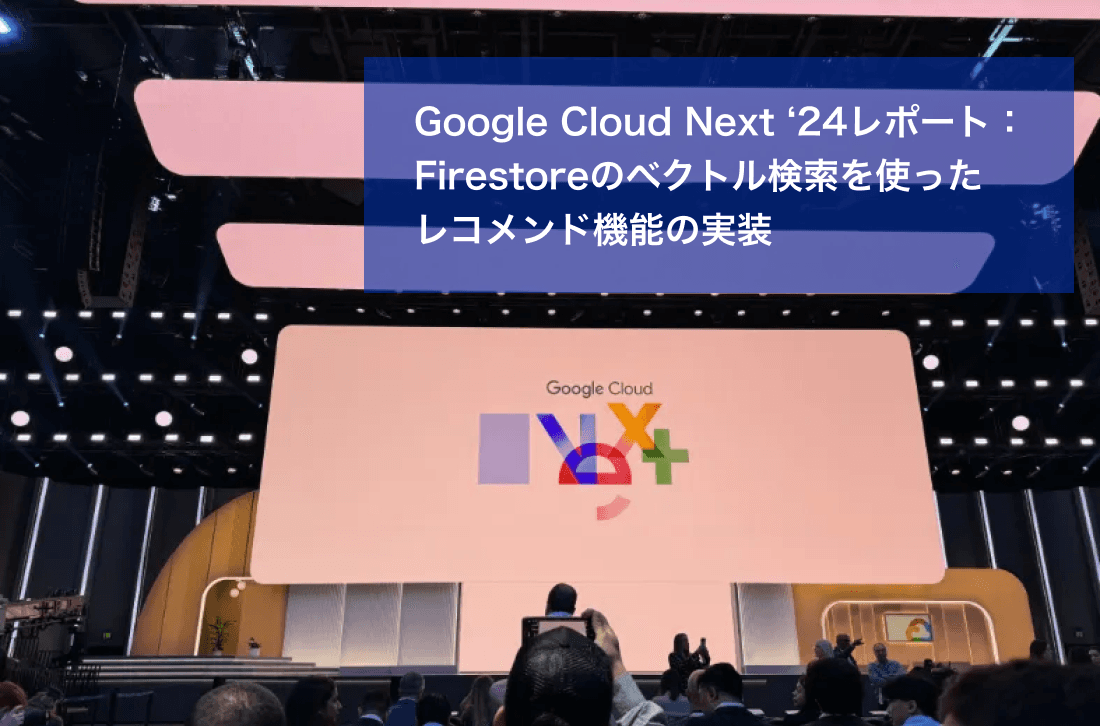
Hello, I'm Nakamura from Lazuli. I work as a software engineer at Lazuli. In this article, I summarize what I learned at Google Cloud Next ’24 in Las Vegas.
At the opening keynote of Google Cloud ’24, various use cases and examples in the retail industry were introduced. Among them were a demo of an online clothing store that presents relevant products based on natural language input and video URLs, and a demo that supports product purchases through chat. From these demos, I strongly felt the message that vector search can now be implemented more easily than ever before.
This time, I will use Firestore's newly preview-released vector search feature to implement a product recommendation feature that suggests relevant products based on natural language input.
What is vector search?
Vector search is a method of expressing data as vectors (arrays of numbers) and searching based on their similarity. Unlike traditional keyword-based search, vector search is characterized by its ability to capture semantic similarity. For example, by vectorizing product descriptions and calculating their similarity to a user's natural language query, it becomes possible to recommend products that match the user's intent based on the product data.
For more details on vector search, a session from the previously held Google Cloud Next Tokyo ’23 was extremely helpful.
https://www.youtube.com/watch?v=7XI45ll8fqQ
What I implemented
I built a recommendation feature that accepts natural language input and displays five related products.
Implementation details
Creating product descriptions for vectorization
Vectorizing product descriptions
Registering the data in Firestore
Creating an index for vector search
Running vector search using natural language
1. Creating product descriptions for vectorization
As sample product data, I used a fake dataset for an e-commerce site that is publicly available on BigQuery.
I exported the data in CSV format and created demo data for registering it in Firestore.
In vector search, it is important to capture semantic similarity between the search query and the product description, but this dataset does not include any meaningful data besides product names and costs that would help find similarity with natural language input. So, using the Gemini Pro 1.0 model, I pseudo-generated product descriptions from each product name.
func generateProductInfo(ctx context.Context, products string) (string, error) {
	prompt := fmt.Sprintf(`

    You are an AI assistant that generates dummy data for an online shop. The product data is as follows:
    '''csv
    id,cost,category,name,brand,retail_price,department,sku,distribution_center_id
    %s
    '''
    Please create a product description for each item in a single line of about 100-150 characters, considering the product's features, materials, season, target audience, size, etc.`, products)

	resp, _ := model.GenerateContent(ctx, genai.Text(prompt))
	content := resp.Candidates[0].Content.Parts[0].(genai.Text)
	return string(content), nil
}
func generateProductInfo(ctx context.Context, products string) (string, error) {
prompt := fmt.Sprintf(`
You are an AI assistant that generates dummy data for an online shop. The product data is as follows:
'''csv
id,cost,category,name,brand,retail_price,department,sku,distribution_center_id
%s
'''
Please create a product description for each item in a single line of about 100-150 characters, considering the product's features, materials, season, target audience, size, etc.`, products)
resp, _ := model.GenerateContent(ctx, genai.Text(prompt))
content := resp.Candidates[0].Content.Parts[0].(genai.Text)
return string(content), nil
}func generateProductInfo(ctx context.Context, products string) (string, error) {
prompt := fmt.Sprintf(`
You are an AI assistant that generates dummy data for an online shop. The product data is as follows:
'''csv
id,cost,category,name,brand,retail_price,department,sku,distribution_center_id
%s
'''
Please create a product description for each item in a single line of about 100-150 characters, considering the product's features, materials, season, target audience, size, etc.`, products)
resp, _ := model.GenerateContent(ctx, genai.Text(prompt))
content := resp.Candidates[0].Content.Parts[0].(genai.Text)
return string(content), nil
}func generateProductInfo(ctx context.Context, products string) (string, error) {
prompt := fmt.Sprintf(`
You are an AI assistant that generates dummy data for an online shop. The product data is as follows:
'''csv
id,cost,category,name,brand,retail_price,department,sku,distribution_center_id
%s
'''
Please create a product description for each item in a single line of about 100-150 characters, considering the product's features, materials, season, target audience, size, etc.`, products)
resp, _ := model.GenerateContent(ctx, genai.Text(prompt))
content := resp.Candidates[0].Content.Parts[0].(genai.Text)
return string(content), nil
}In real-world use cases, it is necessary to use information gathered from various data sources, including product data owned by your company, and to have a process for reviewing whether the output descriptions are appropriate.
Since this was a demo for creating descriptions, I generated them using a simple prompt.
2. Vectorizing product descriptions
Next, I vectorized the generated pseudo-descriptions using an embedding model. This time, I used Vertex AI's text Embedding model. You can check the list of Embedding models available in Vertex AI here.
func generateEmbbedingValue(ctx context.Context, text string) ([]float32, error) {
vertexAIClient, _ := genai.NewClient(ctx, option.WithAPIKey(os.Getenv("API_KEY")))
embedder := vertexAIClient.EmbeddingModel("embedding-001")
resp, _ := embedder.EmbedContent(ctx, genai.Text(text))
return resp.Embedding.Values, nil
}func generateEmbbedingValue(ctx context.Context, text string) ([]float32, error) {
vertexAIClient, _ := genai.NewClient(ctx, option.WithAPIKey(os.Getenv("API_KEY")))
embedder := vertexAIClient.EmbeddingModel("embedding-001")
resp, _ := embedder.EmbedContent(ctx, genai.Text(text))
return resp.Embedding.Values, nil
}func generateEmbbedingValue(ctx context.Context, text string) ([]float32, error) {
vertexAIClient, _ := genai.NewClient(ctx, option.WithAPIKey(os.Getenv("API_KEY")))
embedder := vertexAIClient.EmbeddingModel("embedding-001")
resp, _ := embedder.EmbedContent(ctx, genai.Text(text))
return resp.Embedding.Values, nil
}func generateEmbbedingValue(ctx context.Context, text string) ([]float32, error) {
vertexAIClient, _ := genai.NewClient(ctx, option.WithAPIKey(os.Getenv("API_KEY")))
embedder := vertexAIClient.EmbeddingModel("embedding-001")
resp, _ := embedder.EmbedContent(ctx, genai.Text(text))
return resp.Embedding.Values, nil
}3. Registering the data in Firestore
I registered the data using the Firestore SDK.
import { Firestore, FieldValue } from "@google-cloud/firestore";
import fs from "fs";
const db = new Firestore({ projectId: process.env.PJ_ID, databaseId: process.env.DB_ID,});
const addDocuments = async () => {
const records = parseToJson(fs.readFileSync("products.csv"));
for (const record of records) {
const vector = parseVector(rowVector);
const doc = { ...record, embedding_field: FieldValue.vector(vector) };
await db.collection(process.env.COLLECTION_NAME).add(doc);
}
};import { Firestore, FieldValue } from "@google-cloud/firestore";
import fs from "fs";
const db = new Firestore({ projectId: process.env.PJ_ID, databaseId: process.env.DB_ID,});
const addDocuments = async () => {
const records = parseToJson(fs.readFileSync("products.csv"));
for (const record of records) {
const vector = parseVector(rowVector);
const doc = { ...record, embedding_field: FieldValue.vector(vector) };
await db.collection(process.env.COLLECTION_NAME).add(doc);
}
};import { Firestore, FieldValue } from "@google-cloud/firestore";
import fs from "fs";
const db = new Firestore({ projectId: process.env.PJ_ID, databaseId: process.env.DB_ID,});
const addDocuments = async () => {
const records = parseToJson(fs.readFileSync("products.csv"));
for (const record of records) {
const vector = parseVector(rowVector);
const doc = { ...record, embedding_field: FieldValue.vector(vector) };
await db.collection(process.env.COLLECTION_NAME).add(doc);
}
};import { Firestore, FieldValue } from "@google-cloud/firestore";
import fs from "fs";
const db = new Firestore({ projectId: process.env.PJ_ID, databaseId: process.env.DB_ID,});
const addDocuments = async () => {
const records = parseToJson(fs.readFileSync("products.csv"));
for (const record of records) {
const vector = parseVector(rowVector);
const doc = { ...record, embedding_field: FieldValue.vector(vector) };
await db.collection(process.env.COLLECTION_NAME).add(doc);
}
};As of 2025/5/22, vector registration in Firestore is supported by SDKs for Python or JavaScript. (Since I didn't know this, I implemented the description generation in Go.)
4. Creating an index for vector search
To enable vector search, you need to create a composite index.
You can generate the index using the gcloud CLI below.
gcloud alpha firestore indexes composite create \\
--collection-group={collection-group} \\
--query-scope=COLLECTION \\
--field-config field-path=field,vector-config='{"dimension":"768", "flat": "{}"}' \\
--database={database-id}
gcloud alpha firestore indexes composite create \\
--collection-group={collection-group} \\
--query-scope=COLLECTION \\
--field-config field-path=field,vector-config='{"dimension":"768", "flat": "{}"}' \\
--database={database-id}gcloud alpha firestore indexes composite create \\
--collection-group={collection-group} \\
--query-scope=COLLECTION \\
--field-config field-path=field,vector-config='{"dimension":"768", "flat": "{}"}' \\
--database={database-id}gcloud alpha firestore indexes composite create \\
--collection-group={collection-group} \\
--query-scope=COLLECTION \\
--field-config field-path=field,vector-config='{"dimension":"768", "flat": "{}"}' \\
--database={database-id}When using a composite index, additional charges are incurred for storage and reads. In particular, for read operations, charges are calculated based on the number of documents targeted by the search using the composite index.
As of 2024/5/22, a normal index is billed as one read operation per 1,000 documents, whereas vector search is billed as one read operation per 100 documents. Therefore, when performing vector search on a large dataset, the size of the index has a significant impact on search costs.
5. Running vector search using natural language
By vectorizing the user's input text as-is and using it as the input for a vector search query, you can perform vector search on product data.
As with registering vector data, vector search is supported by SDKs for Python or JavaScript.
import { Firestore, FieldValue, VectorQuery, VectorQuerySnapshot } from "@google-cloud/firestore";
import { GoogleGenerativeAI } from "@google/generative-ai";

const genAI = new GoogleGenerativeAI(process.env.API_KEY ?? "");
const model = genAI.getGenerativeModel({model: "embedding-001"});

const searchDoc = async (message: string) => {
  const result = await model.embedContent(message);
  const vectorQuery: VectorQuery = db.collection("products").findNearest(
    "embedding_field",
    FieldValue.vector(result.embedding.values),
    { limit: 5, distanceMeasure: "COSINE" }
  );

  const vectorQuerySnapshot: VectorQuerySnapshot = await vectorQuery.get();
  const res: any[] = [];
  vectorQuerySnapshot.forEach((doc) => res.push(doc.data()));
  return res;
};
import { Firestore, FieldValue, VectorQuery, VectorQuerySnapshot } from "@google-cloud/firestore";
import { GoogleGenerativeAI } from "@google/generative-ai";
const genAI = new GoogleGenerativeAI(process.env.API_KEY ?? "");
const model = genAI.getGenerativeModel({model: "embedding-001"});
const searchDoc = async (message: string) => {
const result = await model.embedContent(message);
const vectorQuery: VectorQuery = db.collection("products").findNearest(
"embedding_field",
FieldValue.vector(result.embedding.values),
{ limit: 5, distanceMeasure: "COSINE" }
);
const vectorQuerySnapshot: VectorQuerySnapshot = await vectorQuery.get();
const res: any[] = [];
vectorQuerySnapshot.forEach((doc) => res.push(doc.data()));
return res;
};import { Firestore, FieldValue, VectorQuery, VectorQuerySnapshot } from "@google-cloud/firestore";
import { GoogleGenerativeAI } from "@google/generative-ai";
const genAI = new GoogleGenerativeAI(process.env.API_KEY ?? "");
const model = genAI.getGenerativeModel({model: "embedding-001"});
const searchDoc = async (message: string) => {
const result = await model.embedContent(message);
const vectorQuery: VectorQuery = db.collection("products").findNearest(
"embedding_field",
FieldValue.vector(result.embedding.values),
{ limit: 5, distanceMeasure: "COSINE" }
);
const vectorQuerySnapshot: VectorQuerySnapshot = await vectorQuery.get();
const res: any[] = [];
vectorQuerySnapshot.forEach((doc) => res.push(doc.data()));
return res;
};import { Firestore, FieldValue, VectorQuery, VectorQuerySnapshot } from "@google-cloud/firestore";
import { GoogleGenerativeAI } from "@google/generative-ai";
const genAI = new GoogleGenerativeAI(process.env.API_KEY ?? "");
const model = genAI.getGenerativeModel({model: "embedding-001"});
const searchDoc = async (message: string) => {
const result = await model.embedContent(message);
const vectorQuery: VectorQuery = db.collection("products").findNearest(
"embedding_field",
FieldValue.vector(result.embedding.values),
{ limit: 5, distanceMeasure: "COSINE" }
);
const vectorQuerySnapshot: VectorQuerySnapshot = await vectorQuery.get();
const res: any[] = [];
vectorQuerySnapshot.forEach((doc) => res.push(doc.data()));
return res;
};Conclusion
By combining Gemini and Firestore's vector search feature, I was able to easily implement a demo of a natural language-based product recommendation feature.
Although many steps are required, such as organizing the data, reviewing the data generated by generative AI (pseudo-descriptions in this demo), considering which embedding model to use, and adjusting the input values for vector search,
the availability of vector search on a managed database like Firestore has made it easier than ever to add vector search functionality.
References
YouTube
Google Cloud Next Tokyo '23 session about vector search: https://www.youtube.com/watch?v=7XI45ll8fqQ
Firestore Vector Search Documentation: https://firebase.google.com/docs/firestore/vector-search
Firestore Pricing: https://cloud.google.com/firestore/pricing?hl=ja
Google's Embedding Models: https://ai.google.dev/gemini-api/docs/models/gemini?hl=en#embedding
Dataset: https://github.com/GoogleCloudPlatform/public-datasets-pipelines/blob/main/datasets/thelook_ecommerce/pipelines/_images/run_thelook_kub/fake.py
This article is a translation of the following "Implementing a Recommendation Feature Using Firestore’s Vector Search".
https://medium.com/@nakamurakzz/implementing-a-recommendation-feature-using-firestores-vector-search-7b790a41b4a1